
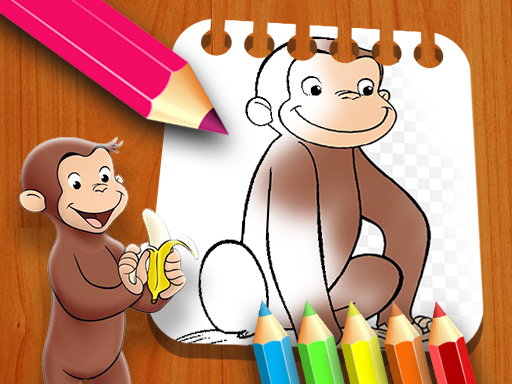
Curious George Color Art Puzzle
About
Curious George Color Art Puzzle delivers exactly what its name suggests: a small set of outlined scenes and a basic set of coloring tools. The eight pages, color palette, brush size options, and eraser cover the essentials without clutter. There is no progression system, scoring, or multiplayer, which keeps the experience focused but also limits long-term engagement. It suits parents looking for a quick, free activity for young children, or adults who want a few minutes of low-stakes coloring. The lack of a save feature means finished work disappears when the session ends, so screenshotting is advisable if you want to keep a page.
A Digital Coloring Book
Curious George Color Art Puzzle turns the familiar monkey into a set of eight outlined pages waiting to be filled. The goal is straightforward: select a page, choose colors, and complete the picture. There are no timers, scores, or fail states, so the pace is entirely up to the player. This makes it a natural fit for younger children or anyone looking for a quiet, low-pressure activity.
Controls and Coloring Tools
Everything runs in the browser on computers, tablets, and phones. After picking one of the eight pages from the main menu, a color palette appears at the bottom of the screen. Click a color, then click and hold on the page while moving your mouse or finger to apply it. Brush size options below the page let you switch between broad strokes for large areas and finer strokes for details. If a color lands where you don't want it, the eraser tool removes it without resetting the whole page.
What Sets It Apart
Most coloring games bury their tools behind menus or force a specific order of completion. Here, the color picker, brush size, and eraser sit within easy reach, so switching between them takes a single click. The eight pages all feature Curious George, giving the activity a consistent character theme rather than a random assortment of images. Because no download or account is needed, the game works as a quick drop-in activity for families or classrooms.
Getting the Most from Each Page
Start by browsing all eight scenes to find one that appeals to you. Experiment with color combinations to give each page a personal look. Use the larger brush to cover background areas quickly, then switch to a smaller size for facial features or small objects. The eraser is best for correcting stray marks without losing progress. Since there is no time limit, taking a slow, deliberate approach tends to produce cleaner results.
Compatibility
FAQ
Comments
Sign in to comment
You must be logged in before posting a review or rating.
No comments yet. Be the first to comment!





Editorial Notes