
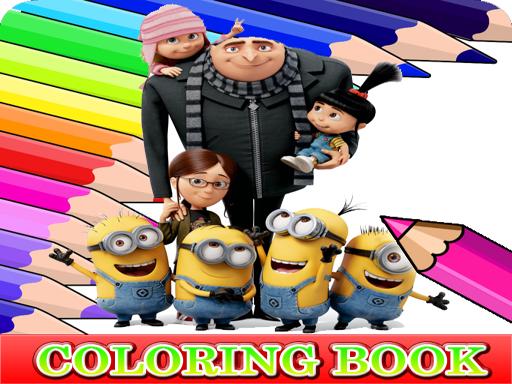
Gru and Minions Coloring Fun
About
Gru and Minions Coloring Fun does one thing and does it without friction: it lets you fill pre-drawn Despicable Me illustrations with color in a browser. The click-to-fill mechanic removes the technical barrier of drawing, and undo/redo makes experimentation safe. There are no timers, scores, or fail states, which keeps the tone relaxed rather than competitive. The main limitation is scope — this is a coloring activity, not a game with progression or challenge. It suits children, casual players, and anyone seeking a quiet creative break.
What You Actually Do
Gru and Minions Coloring Fun is a click-to-fill coloring tool, not a drawing program. Each picture arrives as a pre-made illustration with distinct regions waiting for color. You choose a hue from the palette, then click or tap a region to apply it. The game handles the filling automatically, so you never need to trace outlines or manage brush pressure. The result is a low-friction activity where the only decisions are which picture to open and which colors to combine.
Pictures and Palette
The illustration set draws from the Despicable Me films, with characters rendered in the same printable-style line art you would find in a physical coloring book. The palette covers a range of hues, and because every region accepts any color you select, the same picture can be approached in wildly different ways. You are not locked into canonical character colors. That freedom is the main creative lever here — the game supplies the shapes, and you supply the scheme.
Undo, Redo, and No Pressure
Mistakes are cheap. An undo option reverts your last action, and a redo function lets you step forward again if you change your mind. There are no time limits, no scoring, and no fail states. That structure matters for how the game feels: without a clock or a grade, the session length is entirely yours. You can fill one region and leave, or complete an entire illustration in a single sitting.
Where It Runs and Who It Suits
The game runs directly in a web browser on desktop computers and touchscreen devices, with no download or installation step. Controls are simple enough that young children can use them, but the absence of scoring also makes it a reasonable wind-down activity for adults. If you want a challenge, a competitive loop, or a story, this is not that kind of game. It is a quiet, self-directed coloring tool with a familiar cast.
Compatibility
FAQ
Comments
Sign in to comment
You must be logged in before posting a review or rating.
No comments yet. Be the first to comment!




Editorial Notes