
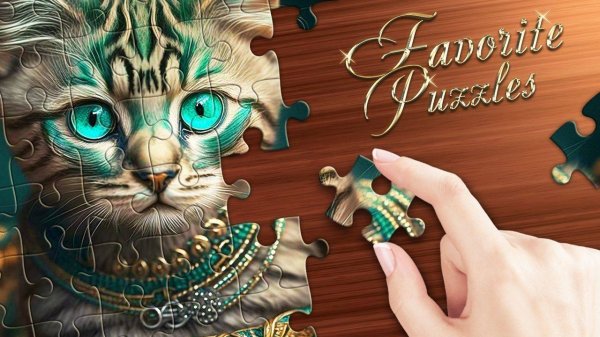
Peaceful Picture Assembly Quest
About
Peaceful Picture Assembly Quest does one thing clearly: it lets you assemble jigsaw puzzles from curated images or your own photos, at a piece count you choose. The absence of a timer and the automatic progress saving make it easy to play in short sessions or return to a large puzzle later. The gallery's themed images and the personal photo option give it more staying power than a fixed set of puzzles would. Its appeal is narrow by design, since it offers no competitive or story elements, but for relaxed pattern recognition it is coherent and complete.
Building Puzzles from Any Image
Peaceful Picture Assembly Quest is a jigsaw-style puzzle game built around one core action: dragging pieces onto a board until they form a complete image. You begin by selecting a picture from the game's gallery or by choosing a personal photo from your device. Next, you decide how many pieces the puzzle will have. That single choice sets the difficulty, so a smaller count suits a quick session while a larger count extends the challenge. On the board, each piece moves with simple touch or mouse controls. A preview of the final image is available, and a grid overlay can be toggled to help organize sections by region. There is no countdown, so you can work at whatever pace feels comfortable.
Gallery Themes and Personal Photos
The built-in gallery covers several themes: landscapes with mountains and forests, close-up animal portraits in their habitats, famous landmarks from around the world, and artistic compositions. Each image is chosen for visual clarity, which matters because a puzzle's enjoyment depends on being able to read details across pieces. The personal photo option is the more distinctive feature. Any image from your device's library can be converted into a puzzle automatically. That turns vacation shots, family gatherings, or event photos into playable sets of pieces. It also means the game's content is effectively unlimited, since you can create a new puzzle whenever you like.
Tools That Support Placement
Several optional aids reduce frustration without removing the puzzle itself. A preview of the completed image can be viewed at any time. A visual grid can be switched on to help sort pieces by area. Hints are available to highlight where a specific piece belongs. Progress saves automatically, so leaving mid-puzzle and returning later resumes exactly where you stopped. That makes larger piece counts practical across multiple sessions rather than something you must finish in one sitting.
Adjusting Difficulty and Pace
Piece count is the main difficulty dial. Younger players or newcomers can start with fewer pieces; experienced puzzlers can raise the count for a longer, more demanding assembly. The same image can be replayed at different counts, which gives each picture more than one use. The game imposes no time limit. A timer option exists for players who want to track their performance, but it is entirely optional and does not change how the puzzle plays.
Compatibility
FAQ
Comments
Sign in to comment
You must be logged in before posting a review or rating.
No comments yet. Be the first to comment!


Editorial Notes