
Highway Lane Runner Challenge
About
Highway Lane Runner Challenge keeps its scope narrow: steer left or right, dodge oncoming cars, and survive as traffic thickens. Coins and temporary shields add small but meaningful choices about when to accept risk. The browser-based format and touch or keyboard support make it easy to start on almost any device. Players who want deep customization or structured progression may find the loop repetitive, but it suits short sessions and score-chasing.
Steering Through Oncoming Traffic
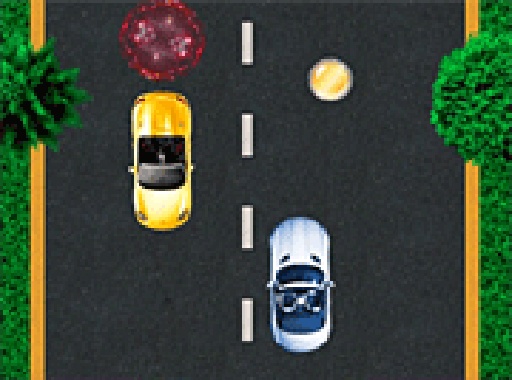
Highway Lane Runner Challenge places a single car on a road filled with oncoming vehicles. Your only controls are left and right, and they respond immediately, so positioning matters more than speed. The goal is simple: keep moving forward and avoid every car in your path. One collision ends the run unless a shield is active. Because traffic patterns shift unpredictably as the run continues, you cannot rely on memorized routes. Instead, you read the gaps between cars and commit to a lane before the space closes.
Coins, Shields, and Risk Decisions
Coins appear on the road at random intervals, and driving over them adds to your score. The catch is that coins sometimes sit in lanes with heavier traffic, so collecting them means accepting a tighter margin for error. Shield icons also spawn occasionally. Running over one gives your car a barrier that absorbs a single collision, letting the run continue after a mistake. The shield does not last forever, so deciding whether to chase it through a crowded lane is a genuine tactical choice rather than an automatic pickup.
Progressive Traffic Density
The game starts with a sparse road and few vehicles. As your run lengthens, the game increases both the density and the speed of oncoming traffic. Early stages give new players room to learn the steering feel, while later stages demand constant attention and fast decisions. This gradual ramp-up means improvement is visible: surviving longer naturally leads to harder conditions, and each attempt gives you a clearer sense of where your reactions broke down.
Browser Play on Desktop and Mobile
Highway Lane Runner Challenge runs directly in a web browser with no download or installation. It supports keyboard input on desktop and touch controls on mobile, and the screen adjusts to different display sizes. A full-screen option is available for a less cluttered view. Because the game is not tied to a single platform, a session can start in seconds on whichever device is at hand, and the same control scheme logic applies across both input methods.
Compatibility
FAQ
Comments
Sign in to comment
You must be logged in before posting a review or rating.
No comments yet. Be the first to comment!









Editorial Notes