
Precision Cornering Simulator
About
Precision Cornering Simulator stands out by making cornering technique the core challenge rather than top speed. The scoring system rewards smooth, long turns, which encourages a thoughtful approach to each curve. Vehicle customization lets you adjust handling to suit that goal, and the split between free driving and timed challenge supports both learning and competition. Its browser-based, keyboard-controlled design keeps it accessible, though it is clearly aimed at desktop players who enjoy methodical driving rather than arcade racing.
Scoring Through Smoothness
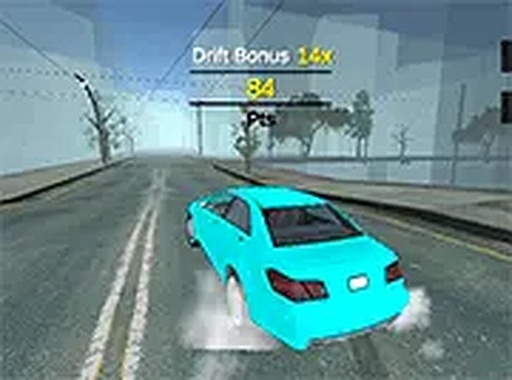
Precision Cornering Simulator flips the usual racing priority. Instead of rewarding the fastest lap, it measures how well you carry speed through a turn. Points accumulate based on the length of each corner and how smoothly you negotiate it. Jerky steering or abrupt braking cuts your score, so the fastest route is rarely the highest-scoring one. This design pushes players to think about racing lines and throttle control rather than simply holding the accelerator.
Building a Car for Precision
Before a run, you can adjust both the look and the handling of your vehicle. Color schemes change the appearance, while performance attributes alter how the car responds. Because the scoring system favors stability and smooth inputs, a setup that reduces twitchiness often outperforms a raw-speed build. Tuning becomes a puzzle: find the balance that lets you link corners without losing points.
Practice vs. Pressure
Two modes serve different goals. Free driving removes the clock, giving you space to learn corner entries and exits at your own pace. Timed challenge adds a countdown, forcing you to score as much as possible before time runs out. The free mode is where technique is built; the timed mode is where it is tested. Together they offer a low-stress entry point and a reason to keep refining your line.
Presentation and Controls
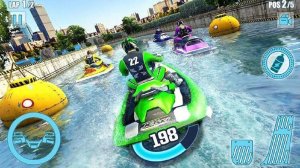
The game renders a 3D city environment with detailed road textures and vehicle models. Steering, acceleration, and braking are mapped to the keyboard, and the interface stays out of the way during a run. A full-screen option is available for a wider view. Because it runs directly in a browser, no download or installation is required, and it works on standard desktop computers without specialized hardware.
Compatibility
FAQ
Comments
Sign in to comment
You must be logged in before posting a review or rating.
No comments yet. Be the first to comment!



Editorial Notes