

Memory Match Puzzle Quest
About
Memory Match Puzzle Quest delivers a straightforward cognitive challenge: memorize character-item pairs, then match them against a clock. The three-character, three-item setup keeps rounds brief and accessible, while the timer adds meaningful urgency. Because it runs in a browser without downloads, it fits easily into short breaks. The main limitation is variety, as the small set of pairings may feel repetitive over time. Still, it works well for players seeking a quick, family-friendly mental workout.
Core Memory Challenge
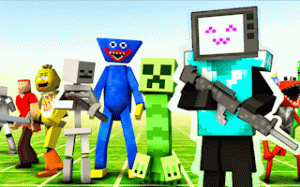
Memory Match Puzzle Quest presents players with a set of characters, each linked to a specific item. The game asks you to study these pairings first, then recall them under time pressure. When a character appears, you choose the item that belongs with it. Correct answers earn points; mistakes can cost time or end the round. The challenge comes from holding several pairings in mind while reacting quickly.
Timer-Based Decision Making
A visible timer drives the pace. You cannot linger on each choice, so the game rewards both accurate recall and fast selection. This blends memory exercise with rapid decision-making. The pressure is constant but manageable, since the game is built for short sessions rather than marathon play. Each round tests how well you encoded the character-item pairs and how calmly you can act when the clock is running.
Controls and Accessibility
Controls are intentionally simple. On desktop, you use the mouse to click an item. On mobile, you tap the screen. The game runs in a web browser on both platforms without any download. A full screen mode is available for a more focused view. Because the rules are clear and feedback is immediate, new players can understand the loop within seconds. The family-friendly design makes it suitable for players of all ages.
Practical Tips for Better Recall
Before the timer starts, spend a moment memorizing the character-item pairings. Grouping them mentally or repeating them silently can help. During play, stay calm; rushing often leads to wrong selections. Use full screen mode to reduce distractions. After each choice, note the feedback to reinforce the correct pairing. Since sessions are short by design, taking breaks keeps your mind fresh and improves recall speed over time.
Compatibility
FAQ
Comments
Sign in to comment
You must be logged in before posting a review or rating.
No comments yet. Be the first to comment!







Editorial Notes